Partywitme Telegram Bot
Provides quick conversational access, shortcuts, event updates and notifications.
Bring event discovery, ticket access, event updates, sharing and Partywitme experiences directly into Telegram.
Works with:
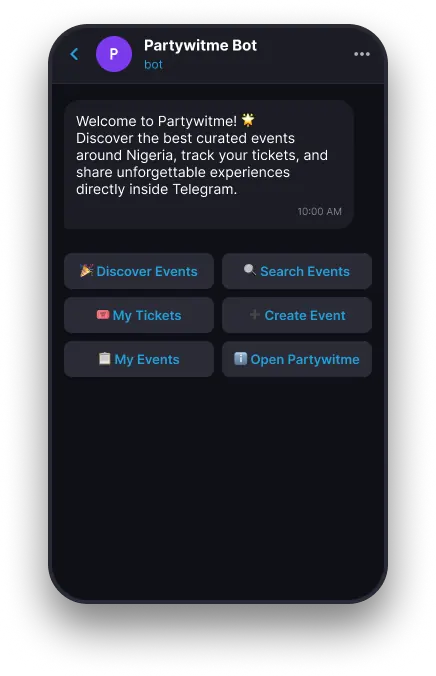
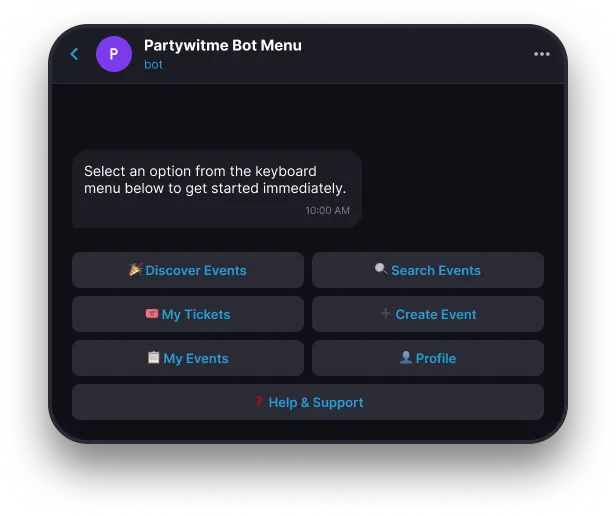
Partywitme connects with Telegram through two components: the conversational bot and the richer Mini App experience.
Provides quick conversational access, shortcuts, event updates and notifications.
Provides the richer interface for discovering events, viewing event details, purchasing tickets, accessing digital tickets, creating events, and managing lightweight event actions.
Settings → Integrations→Telegram
Manage your Telegram connection and notification preferences.
Partywitme will stop using this Telegram connection for personalized Telegram experiences and configured notifications.
Your Telegram connection is paused. You can reconnect anytime to restore notifications and integrations.
Try Again. Confirm Telegram is available. Return to Partywitme Integrations.
Disconnect Telegram and reconnect using the correct Partywitme account.
Check Telegram notification permissions and your Partywitme Telegram integration preferences.
Try reopening the Partywitme Bot and selecting the event again.
Confirm you're connected to the Partywitme account used to purchase the ticket.
The Partywitme Telegram integration connects your Telegram account to Partywitme so you can discover events, access tickets, and receive updates directly inside Telegram.
The bot provides quick conversational actions, while the Mini App handles richer event, ticket and checkout experiences.
You can browse supported public events without one, but personalized actions require a Partywitme account.
Yes, where public event browsing is supported by the product.
Yes. Connect the Partywitme account used to purchase your tickets.
Yes. Telegram can start the flow and the Partywitme Mini App completes event creation.
Yes, when Telegram notifications and event reminders are enabled.
Yes. Event previews can be shared to Telegram chats, groups and channels.
Open Partywitme settings, choose Integrations, then Telegram.
Use Disconnect in the Telegram integration management settings and confirm the action.
Personalized Telegram experiences and configured notifications pause until you reconnect.
A compact overview of the core capabilities available inside the Telegram integration.
Find Partywitme events directly through Telegram.
Search for events without leaving Telegram.
Quickly open upcoming Partywitme tickets.
Receive useful reminders before an event.
Receive venue, time or cancellation updates.
Share Partywitme events into Telegram chats, groups and channels.
Start event creation from Telegram and continue through the Partywitme Mini App.
Quickly access events you've created.
Receive post-event review prompts.
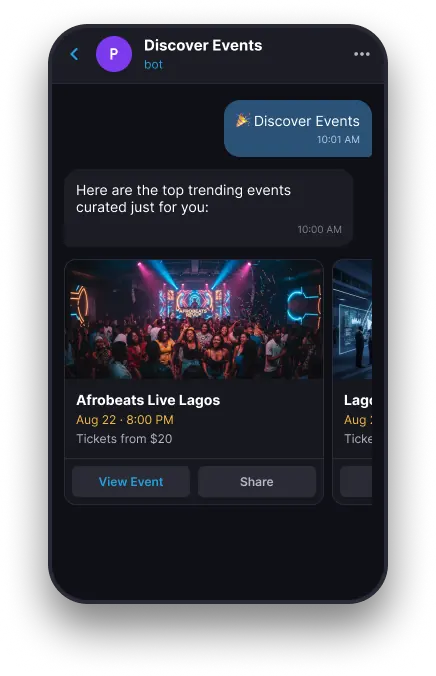
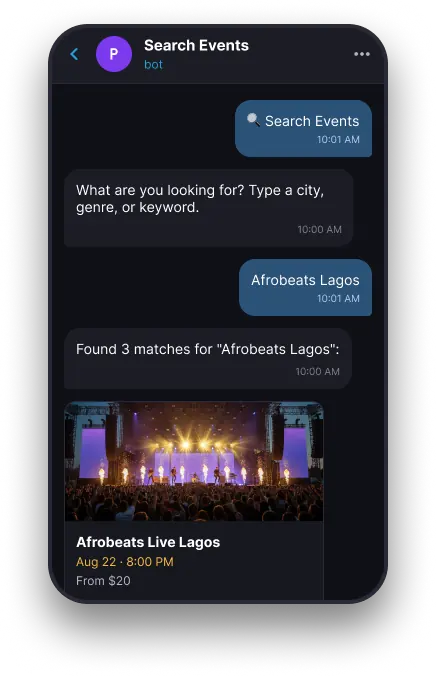
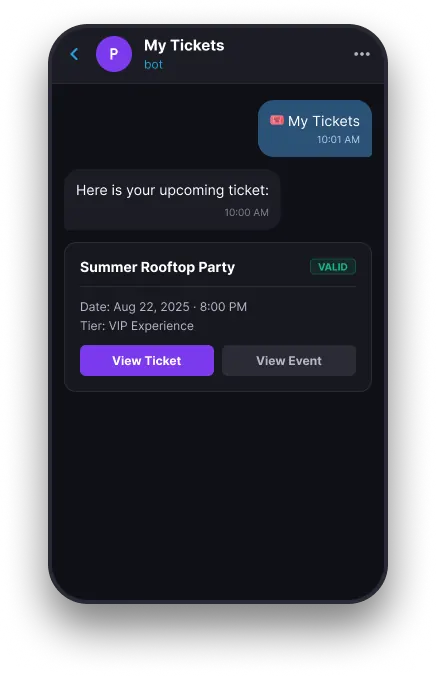
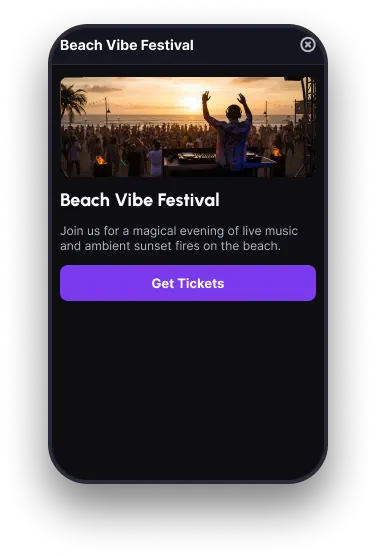
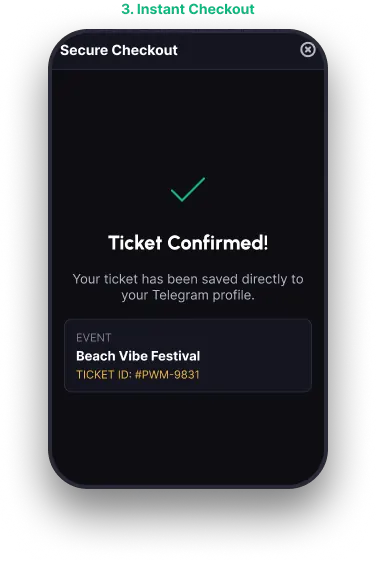
The Telegram Bot provides quick conversational access, while the Mini App handles richer Partywitme experiences.
1. Chat Bot
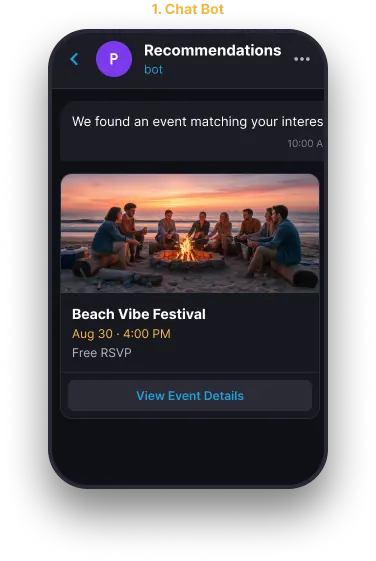
2. Mini App Opens
3. Instant Checkout
Follow these steps to connect your Telegram experience with your Partywitme account.
Scan this QR code with your phone to open @PartywitMe_Bot in Telegram.
Open Telegram Bot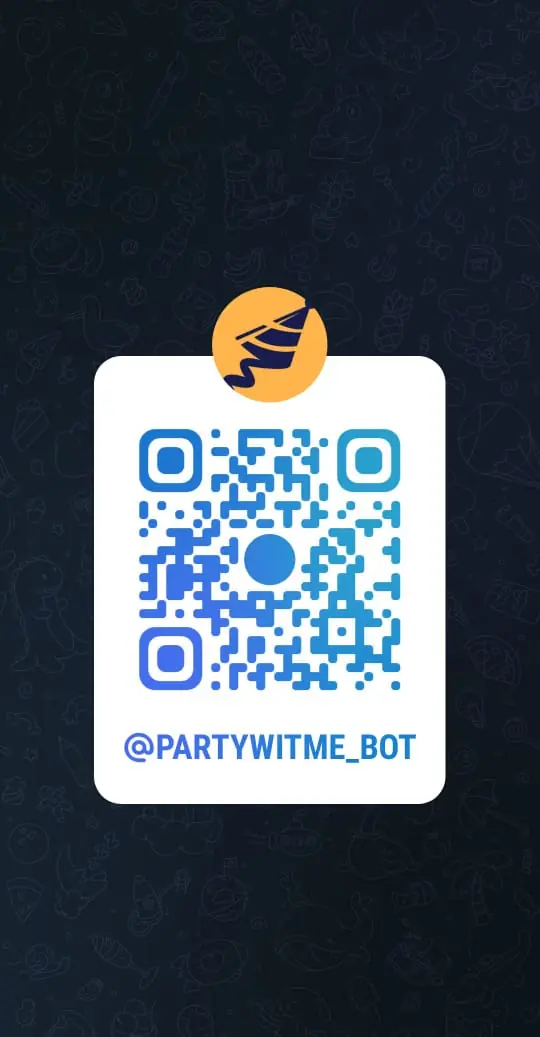
Open the official Partywitme Telegram Bot.
Tap the Telegram Start action to begin.
Select Connect Partywitme Account.
Continue with Telegram or sign into your existing Partywitme account where required.
Review the account connection and confirm.
Your Telegram account is now connected to Partywitme.
A few prerequisites to keep in mind before setting up the Telegram integration.
Users can browse supported public event information without authentication where the product allows it.
Your Telegram account is not yet linked to Partywitme.
Connecting your Telegram account...
Telegram Connected
We couldn't connect your Telegram account.
Telegram has been disconnected from your Partywitme account.
Your ticket purchase has been confirmed
Your event is coming up tomorrow
Your event starts in 2 hours
The venue for your event has changed
The event time has been updated
An event you planned to attend has been cancelled
How was your experience? Leave a review
The Telegram integration supports both event discovery and management workflows directly inside the chat.
One Message Away.
Discover events, access tickets, receive updates and connect with Partywitme through the Telegram experience you already use.